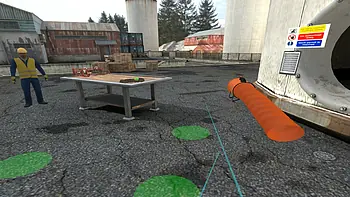
Hard Skills Virtual Training
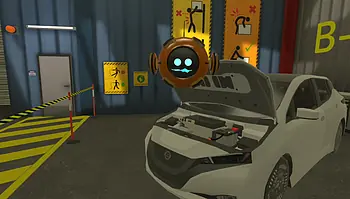
Developing technical expertise is not optional. It is essential. From operating machinery to handling specialized software, today's workforce depends on hard skills to perform precisely and consistently. Traditional training methods often struggle to keep up with the complexity and pace of modern workplaces. Virtual hard skills training provides a scalable and measurable solution by replicating real tasks in controlled digital environments.
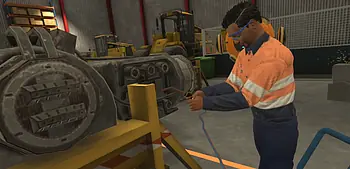
Instead of watching lengthy presentations or sitting through generic classes, learners practice doing the work. They handle equipment, solve technical issues, and follow job-specific workflows without putting operations or safety at risk.
Virtual hard skills training for employees allows organizations to train at scale, consistently repeat learning, and reduce the operational burden of physical sessions. Whether onboarding new hires or reskilling teams, this training format supports targeted learning that mirrors real-world responsibilities.
What Is Hard Skills Training?
Hard skills training focuses on developing measurable, job-specific technical abilities. These include machine operation, software use, repair procedures, data entry standards, safety protocol compliance, and more. They are typically taught using structured methods and can be evaluated through performance assessments.
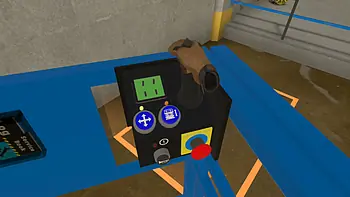
Virtual training transforms this process into an interactive, scenario-based experience. Learners actively engage with real tools and challenges, improving their ability to apply technical knowledge. This transition from passive instruction to active performance dramatically increases training effectiveness.
Hard Skills Training Examples Across Industries
Different industries have different technical demands. Here are some practical hard skills training examples tailored to actual workplace scenarios.
Manufacturing and Industrial
- Machine operation. Learn to control CNC systems, injection molding machines, or robotic arms.
- Preventive maintenance. Practice inspection routines and fault detection before breakdowns occur.
- Process calibration. Adjust timing and settings on production lines to ensure consistency and quality.
- Quality control. Perform inspections using digital gauges and standardized visual checks.
Construction
- Equipment usage. Safely operate excavators, forklifts, aerial lifts, and concrete mixers.
- Blueprint interpretation. Navigate architectural plans to position structural elements correctly.
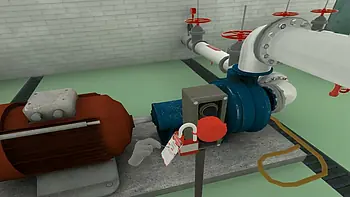
- Electrical systems. Train in-circuit testing, panel installation, and lockout-tagout procedures.
- Site safety compliance. Identify risks and apply protocols like fall protection and hazard labeling.
Healthcare
- Equipment sterilization. Use proper cleaning techniques and equipment cycles to prevent contamination.
- Device setup. Calibrate ECG monitors, ventilators, or infusion pumps before patient use.
- Triage simulations. Respond to emergencies with the correct equipment, roles, and timelines.
- Medication handling. Follow dosage, labeling, and administration procedures in a virtual pharmacy.
Logistics and Warehousing
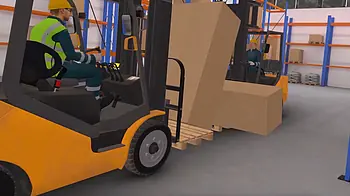
- Forklift driving. Maneuver safely through warehouse lanes while meeting efficiency targets.
- Picking and packing. Optimize order fulfillment accuracy and speed using barcodes and shelf layouts.
- Inventory audits. Perform cycle counts and stock checks using warehouse management systems.
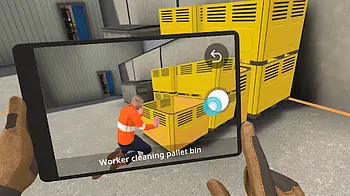
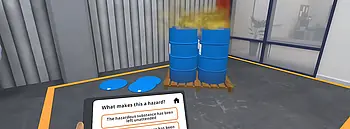
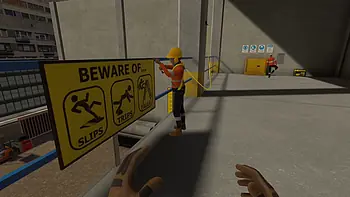
- Hazard recognition. Identify blocked exits, damaged racks, or unsafe walking surfaces.
These hard skills training examples highlight how simulation-based learning delivers situational relevance that traditional programs often lack.
Why Choose Virtual Hard Skills Training for Employees
Virtual training brings more than convenience. It introduces a structured, performance-focused approach to workforce development. Here are the main benefits.
- Reduced downtime. No need to stop machines or block off physical areas. Training takes place independently of daily operations.
- Consistent training quality. Every employee receives the same level of instruction, no matter their location or schedule.
- Scalable delivery. Train 10 or 1,000 employees with the same content. Easily roll out updates across the entire workforce.
- Detailed analytics. Monitor progress with performance data, including time on task, error rates, and completion trends.
- Cost efficiency. Eliminate the need for paper manuals, external trainers, or recurring in-person sessions.
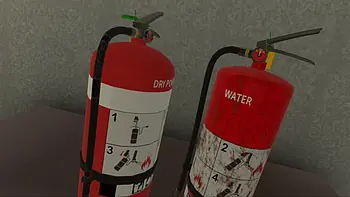
- Improved safety. Train employees on dangerous tasks like welding, chemical handling, or confined space entry without exposing them to real-world risk.
- Higher retention. Simulated practice leads to better memory recall and stronger application of skills.
- Customization. Build or adapt training scenarios to mirror your specific equipment, tools, and workflows.
Virtual hard skills training for employees is more than a learning alternative. It is a tool for performance improvement and risk reduction.
Best Practices for Launching Hard Skills Virtual Training
Successful training rollouts depend on clear planning. Follow these best practices to ensure adoption and impact.
1. Define Measurable Objectives
Start by outlining specific goals. What tasks should employees complete? What standards must they meet?
- Break jobs into smaller skills.
- Align each skill with performance metrics like speed or error rates.
- Use this information to build task-based training simulations.
2. Customize to the Work Environment
Generic content reduces engagement. Build experiences that reflect the actual environment where employees work.
- Recreate specific tools or interfaces.
- Include site layouts, machines, or job aids.
- Make sure every step is relevant to what learners will do on the job.
3. Pilot and Iterate
Test the training with a smaller team before the full rollout.
- Evaluate clarity, ease of use, and realism.
- Collect learner feedback to refine pacing or content focus.
- Adjust based on usability issues and early performance data.
4. Make Access Simple
Employees should be able to train when and where they are most available.
- Offer options for VR headsets, laptops, and desktop access.
- Ensure software compatibility with standard IT environments.
- Automate user tracking and scoring via a central dashboard.
5. Include Manager Participation
Involve supervisors early. Their support influences learner participation and reinforcement.
- Share training goals with team leaders.
- Encourage follow-up discussions after training sessions.
- Use manager input for final evaluations.
A clear rollout strategy reduces resistance and improves the return on your training investment.
Key Metrics to Measure Effectiveness
Understanding whether your program is delivering results requires objective metrics.
Here are the top indicators to track:
- Completion rate. Tracks how many users finish the assigned tasks.
- Error types and frequency. Identifies recurring mistakes that need follow-up.
- Time to proficiency. Measures how long learners take to achieve expected standards.
- Test scores. Pre- and post-training assessments show knowledge improvement.
- Real-world performance. Compare incidents, repair quality, or compliance rates after training.
- Engagement metrics. Monitor session frequency and voluntary training usage.
- Supervisor observations. Gather insight from direct feedback on applied skills.
These metrics support continuous improvement and allow you to target the important areas.
Common Mistakes to Avoid in Virtual Training
Even strong programs can underperform when key mistakes are made. Here's what to avoid.
- Generic content. Avoid using broad scenarios that do not match job roles. Employees lose interest quickly when they cannot relate to the training.
- Information overload. Long sessions that cover too much lead to cognitive fatigue and reduced memory.
- Poor access. If devices are scarce or the interface is complicated, participation drops.
- Lack of follow-through. When managers do not reinforce training content, learners may treat it as unimportant.
To increase training effectiveness:
- keep sessions short and focused;
- adapt content to match actual workflows;
- ensure compatibility with existing devices and systems;
- provide post-training discussions or check-ins with supervisors.
Avoiding these mistakes ensures that training investments turn into real operational improvements.
Building Skill Through Safe, Realistic Practice
Repetition builds mastery. Virtual training enables repeated practice in high-risk or complex scenarios without putting employees or equipment in danger.
Examples of realistic, safe practices:
- Troubleshooting broken machinery using digital diagnostic tools.
- Handling electrical panels during simulated outages.
- Assembling mechanical parts under time constraints.
- Operating forklifts in dynamic, obstacle-filled environments.
- Performing inspections during emergency shutdown simulations.
Interactive feedback corrects errors in real time. Randomized scenarios ensure users cannot predict outcomes, helping them build flexible thinking. This process strengthens decision-making and builds automatic responses.
With each session, learners grow more confident. They perform better in the field, reduce costly mistakes, and respond faster when challenges arise.
Final Thoughts: Making Technical Training Smarter
Hard skills are non-negotiable for workplace performance. Virtual training allows companies to build those skills without disruption, travel, or risk. Employees learn faster, remember more, and confidently apply their training.
Start by identifying your most critical tasks. Design realistic training that matches your workflows. Deliver it where and when your employees can use it. Track their performance and keep improving.
Hard skills training for employees no longer requires expensive classrooms or scheduled downtime. With virtual tools, it becomes repeatable, measurable, and aligned with operational goals.
Found 19 results